Productive
Day 1 - Introduction
Productive is our CRM and project management tool.
We use it to run our new business pipeline, manage projects and resourcing, track time and budgets, and generate reporting across clients and finances.
Notifications
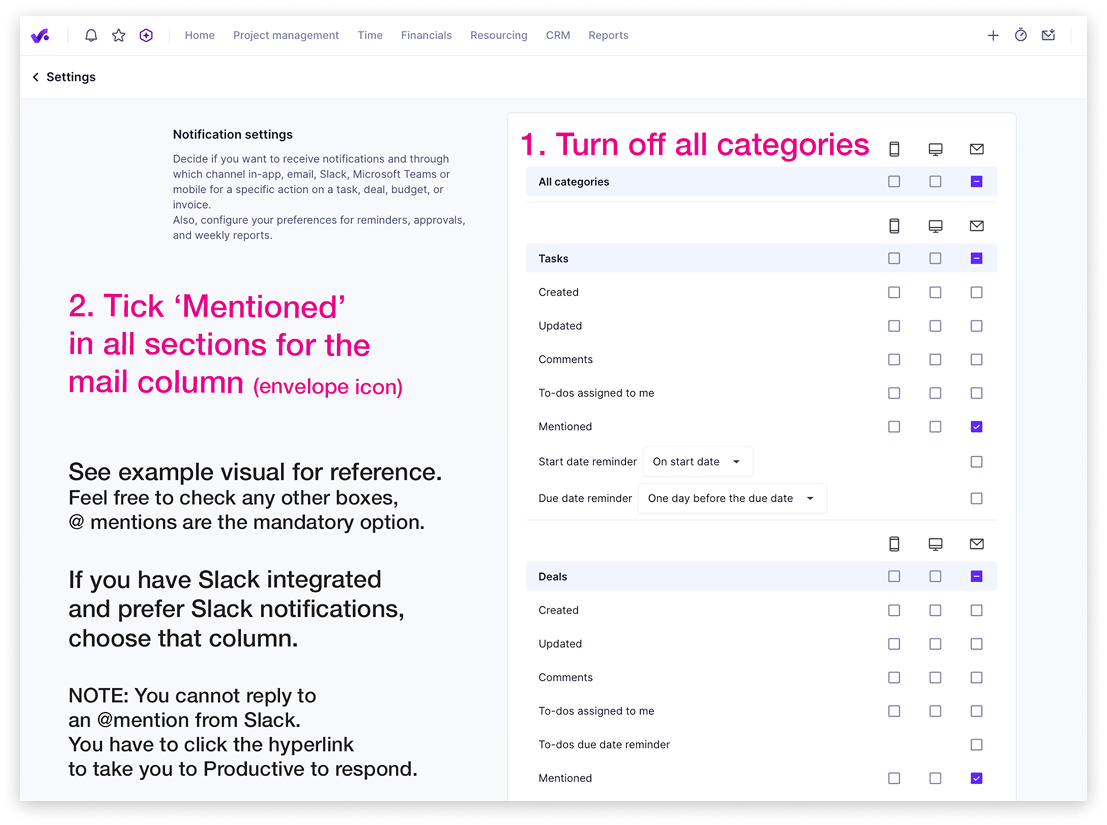
Configure your notifications to reduce inbox noise. @mentions are the only mandatory setting.
- Go to Settings > Notification settings
- Turn off all categories
- Tick Mentioned in all sections for the mail column (envelope icon)
- You can enable additional notifications, but @mentions are the minimum required
- If you have Slack integrated and prefer Slack notifications, select the Slack column instead of mail
Responding to @mentions via Slack
- You cannot reply to an @mention directly from Slack. Click the hyperlink in the notification to open Productive and respond there
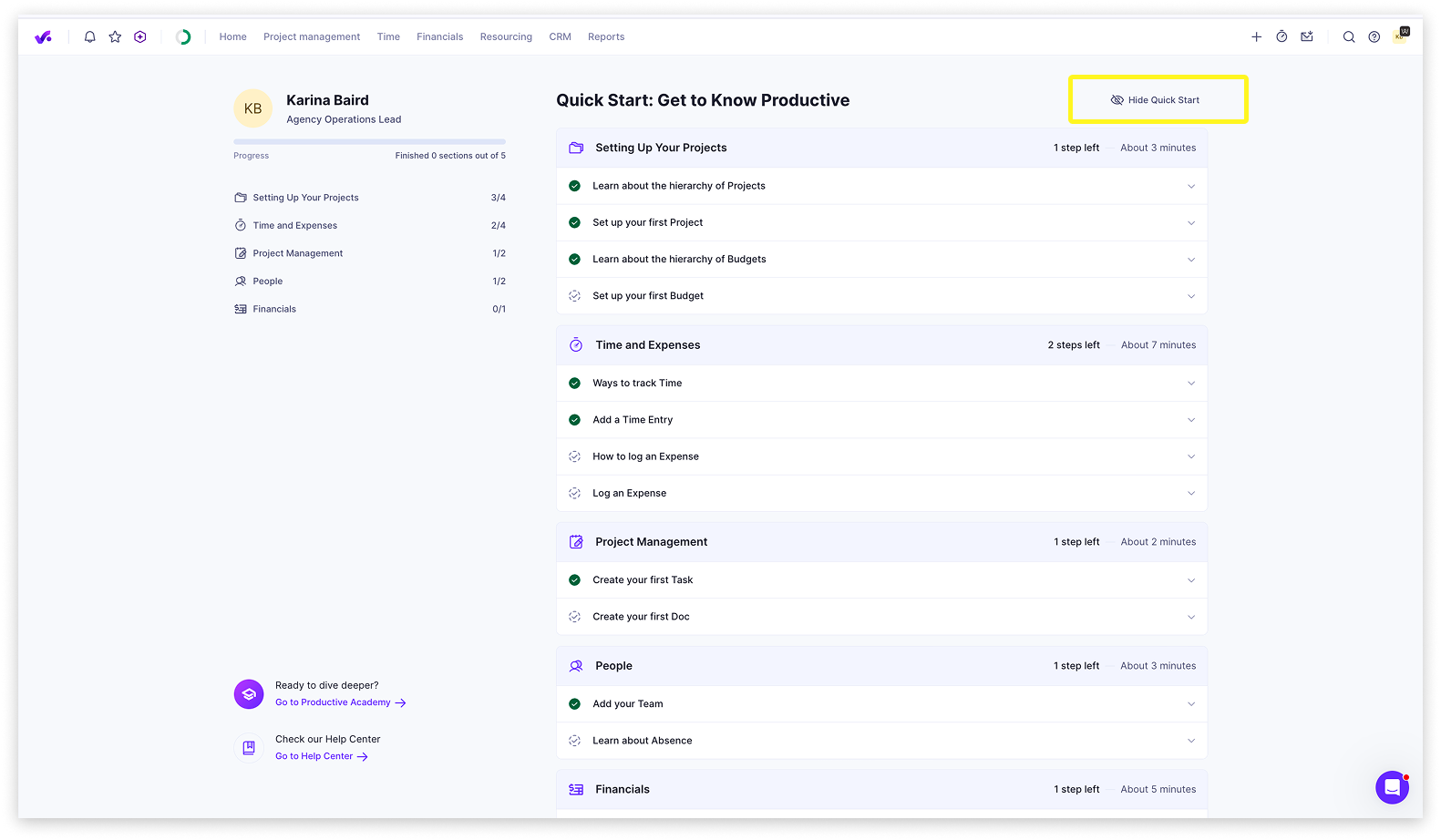
Hide Quick Start
When you first log in, Productive displays a Quick Start guide. Once you are familiar with the platform, dismiss it to keep your workspace clean.
- Click Hide Quick Start in the top right of the panel
Set up your dashboard
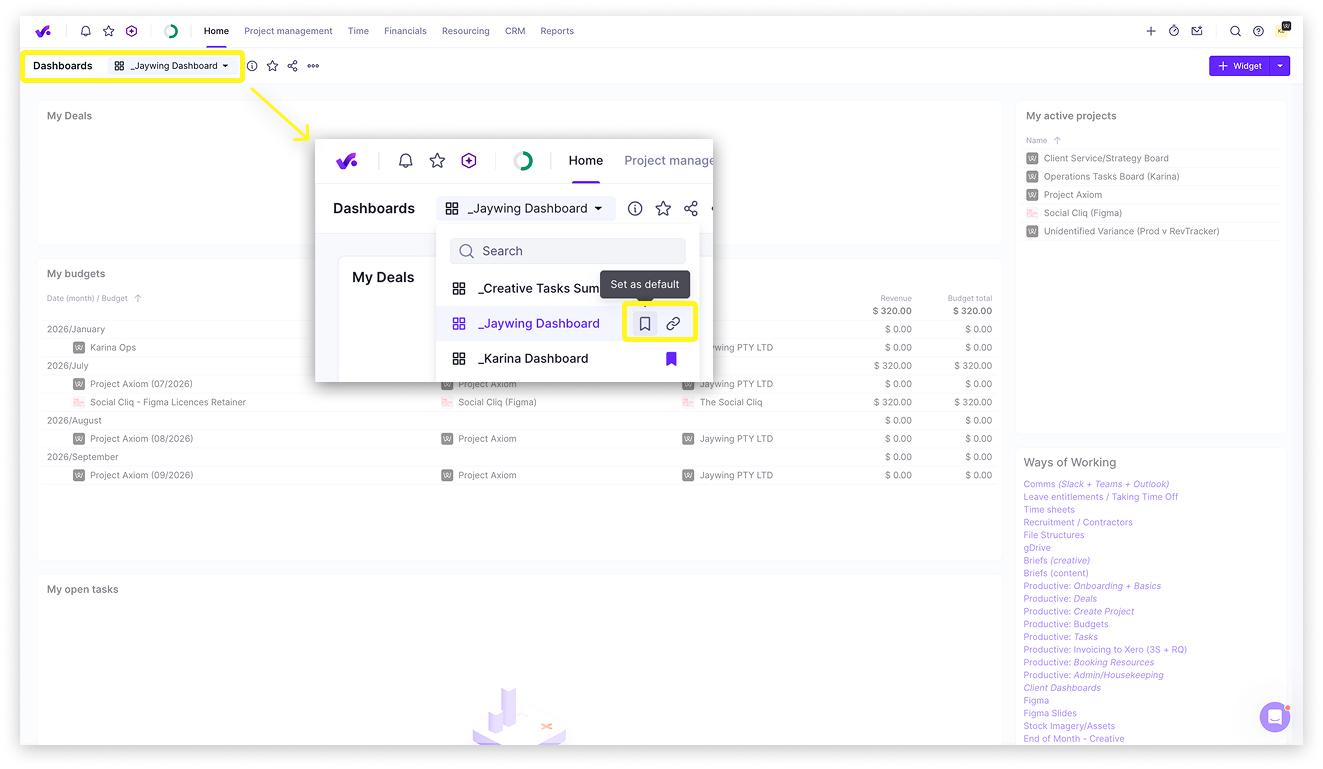
_Jaywing Dashboard is your home view, showing your active deals, budgets, and open tasks. Set it as your default on first login.
As you get familiar with Productive, you can create custom dashboards with your own mix of widgets to suit your day-to-day. See Productive's Help Centre for guidance on building custom dashboards.
- Click Home in the top nav
- Click the dashboard dropdown
- Select _Jaywing Dashboard
- Click the blue ribbon icon to bookmark it as your default
Integrations
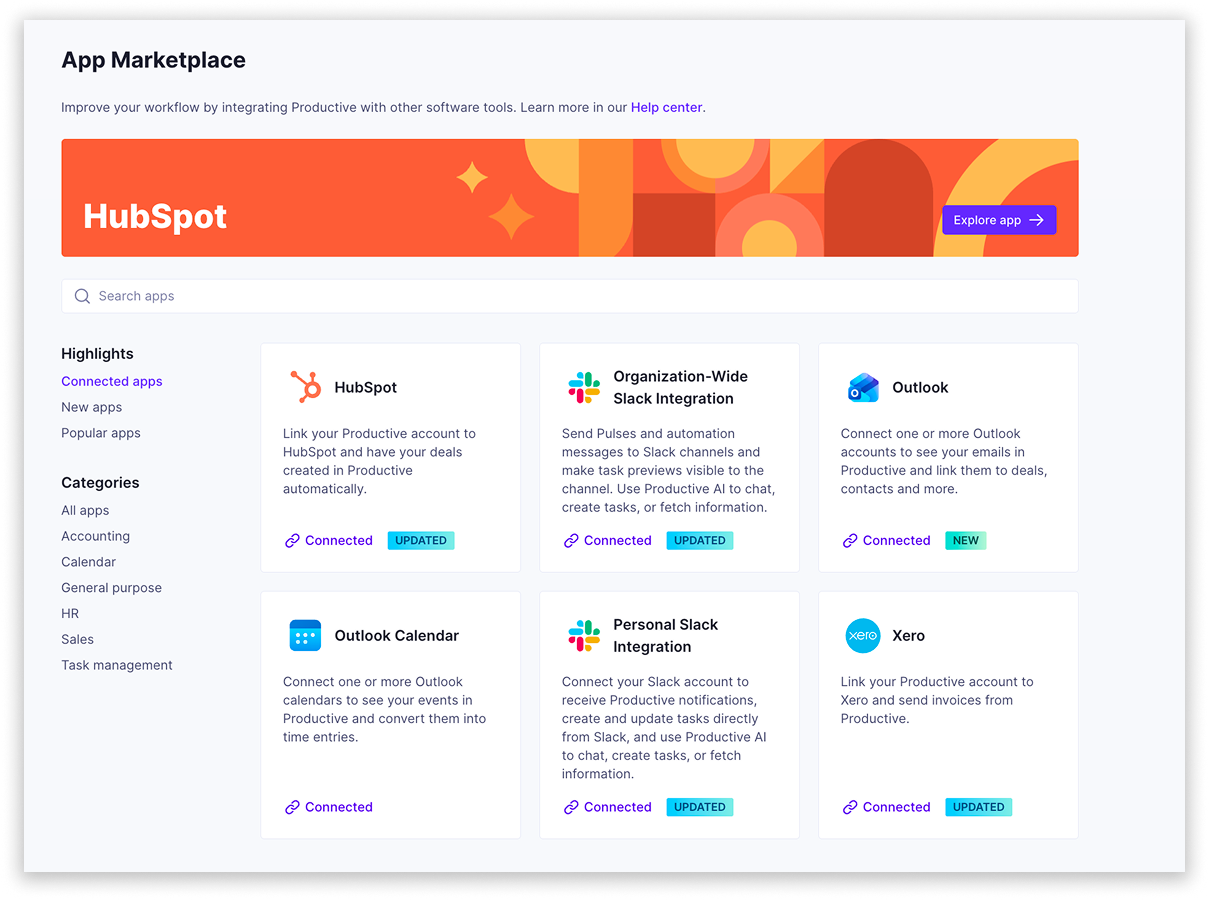
Connect your existing tools to get the most from Productive. Go to Settings > App Marketplace > Connected Apps to set up any of the following.
Outlook Calendar
- Converts calendar events to timesheet entries quickly
- Enables the Productive notetaker for meetings
Outlook Mail
- Keeps email chains inside Productive for deal-related communication, making handoff easier
- Most useful if your role involves a high volume of deal activity
Personal Slack
- Routes Productive notifications to Slack if you prefer it over email