Productive
Tasks
Locate the client or project workspace. Ensure open budgets are linked to this project before creating tasks.
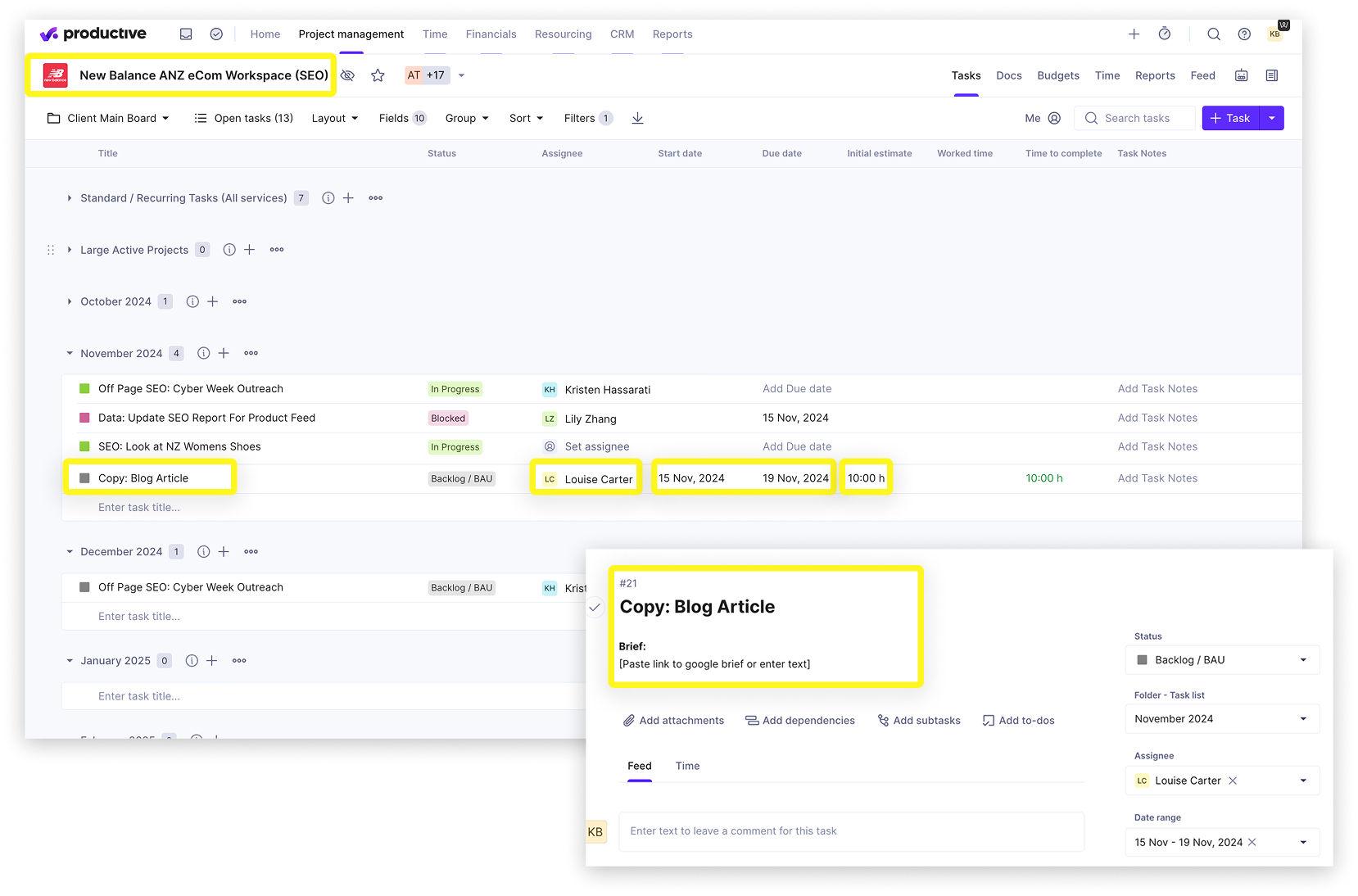
- Create the task in the correct task list (ie: current month - see example opposite)
- Enter task title
- Assign to person responsible
- Add dates (start and due)
- Enter Initial Estimate - this is your assumed effort required for the task. Ignore the Time to Complete field
- Click on the task and populate the task card description area with the brief (top section of the task card - do not paste part of a comment)
- Confirm the status of the task
Note: If your task requires a few rounds of work, either create a task list for that output or create a project - ensure a budget or deal is linked to that project.