
Finance
Revenue Recognition + Invoicing
Overview
Revenue recognition and invoicing is managed by Project Managers who own a budget. If this responsibility applies to you, you will be given access to the Revenue Tracker - a shared spreadsheet used to manage monthly revenue and invoicing across the agency. Access is granted based on your role and the budgets you own.
Budget owners are responsible for managing monthly revenue recognition and invoicing updates directly in the Revenue Tracker, adding comments addressed to the finance team to flag any variances against original budget submissions. Luke and Bella (Strategists) hold a monthly meeting with the finance team to run through this process.
Revenue Tracker + Productive
The Revenue Tracker tracks all booked revenue to be recognised per month, per client. This feeds directly into finance and month-end financial reporting. Productive tracks the same booked revenue, but split by department, so we can report accurate department-level totals at month end. Finance teams do not interact with Productive revenue figures directly.
Because they represent the same revenue viewed differently, the Revenue Tracker and Productive must always match exactly. This is an important sense check that we are not over- or under-reporting revenue.
| Client | Dept | Type | Jul | Aug | Sep | Oct |
|---|---|---|---|---|---|---|
| FMCG Brand A | SEO | Retainer | $8,514 | $8,514 | $8,514 | $8,514 |
| Health Fund | Digital | Retainer | $1,800 | $1,800 | $1,800 | $1,800 |
| Media Client A | Media | Retainer | $2,940 | $2,940 | $2,940 | $2,940 |
| Independent School | Digital | Project | $3,880 | $8,270 | $29,200 | $21,018 |
| Creative Brand A | Creative | Project | $9,625 | $9,625 | ||
| SEO Client A | SEO | Retainer | $4,000 | $4,000 | $4,000 | $4,000 |
| Media Client B | Media | Retainer | $30,705 | $49,932 | $30,558 | $27,555 |
| Finance Brand | SEO | Retainer | $8,000 | $8,000 | $8,000 |
Making Changes to Booked Revenue
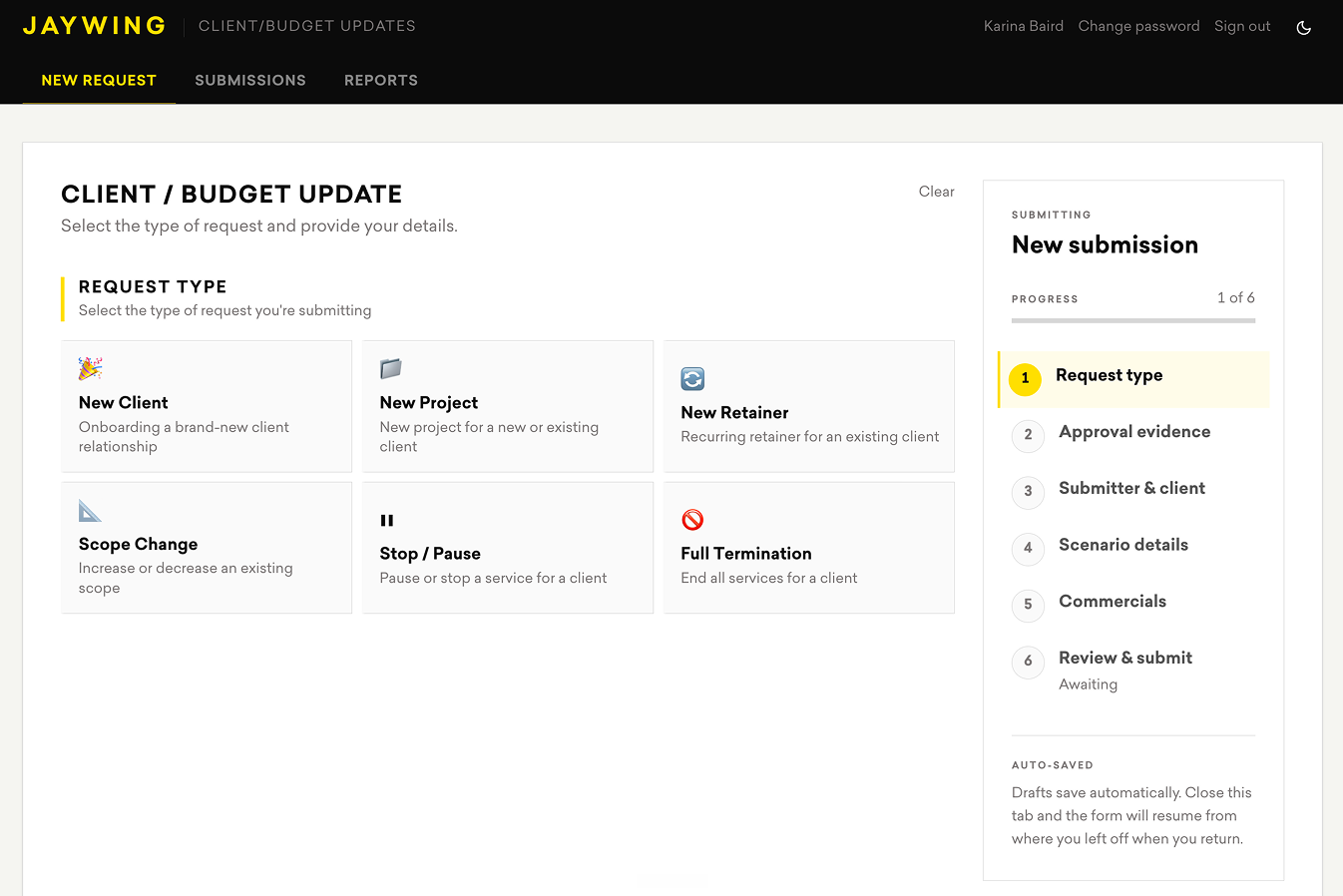
All changes to booked client budgets, new clients, or terminations must go through the New Budget Form. Responses are logged in the submissions tab, and both the Revenue Tracker and Productive are then updated by Finance and Jyn - maintaining a clear chain of changes and history.
The form exists to reduce the number of people making manual edits in either system and to ensure accuracy and traceability. If the monthly revenue recognition changes from what was originally communicated but the total project revenue remains the same, update the monthly revenue budgets and add explanatory comments in the Revenue Tracker for the corresponding month, tagging @Dionne.
If a booked client budget changes - regardless of where that change is discussed (e.g. a meeting with finance) - it must go through the form. This is the only way to keep the Revenue Tracker and Productive aligned and maintain confidence in financial reporting.
Weekly Reconciliation
Each week, our Agency Ops Lead submits a revenue reconciliation spreadsheet to the #Finance Slack channel. All budget owners are responsible for reviewing this sheet to identify any variances between the Revenue Tracker and the comparison spreadsheet on budgets they own.
Where reconciliations are required, these must be actioned within that week so they are cleared before the next script runs.
Important: If you amend revenue for any months on your projects or retainers, you must add a comment in the Revenue Tracker's revenue spreadsheet tab with the updated monthly amounts. For invoice inquiries or updates, use the Billing tab within the Revenue Tracker.
It is a financial requirement that booked revenue numbers are accurate and up to date weekly across both systems. Misalignment creates significant manual work and increases risk during month-end reporting and future forecasting.
| Productive v Rev Sheet Variances | |||||||||
| Red = Productive is HIGHER than Revenue Tracker → AM to update the Revenue Tracker | |||||||||
| Blue = Revenue Tracker is HIGHER than Productive → AM to update Productive or advise finance | |||||||||
| Client | Job # | Rev Budgets | Owner | Jul | Aug | Sep | Oct | Nov | Notes |
| Creative Brand A | |||||||||
| CRE001 | Creative Retainer CRE001 | Luke T | 0.00 | Finance to mirror form submissions | |||||
| CRE002 | Brand Template Design CRE002 | Luke T | 0.00 | ||||||
| Education Client | |||||||||
| EDU001 | Digital Export | Aoife K | 0.00 | ||||||
| Property Developer | |||||||||
| FAI001 | Media Retainer FAI001 | Dave F | 0.00 | Finance to mirror form submissions | |||||
| Insurance Client | |||||||||
| HDI001 | Creative Retainer HDI001 | Aoife K | 0.00 | ||||||
| HDI002 | Cyber Campaign HDI002 | Aoife K | 0.00 | ||||||
| Investment Firm | |||||||||
| 300769 | Monthly Maintenance | Jess C | 0.00 | Jess to draft mid month August | |||||
| Sports Brand | |||||||||
| 300711 | Media Retainer (variable) | Vita T | 0.00 | ||||||
| Retail Group | |||||||||
| TRU001 | Brand Media Retainer AU | Hamish B | 0.00 | ||||||
| TRU002 | Media Retainer AU | Hamish B | 0.00 | ||||||
| TRU003 | Media Retainer NZ | Hamish B | 0.00 | ||||||
Media Retainers
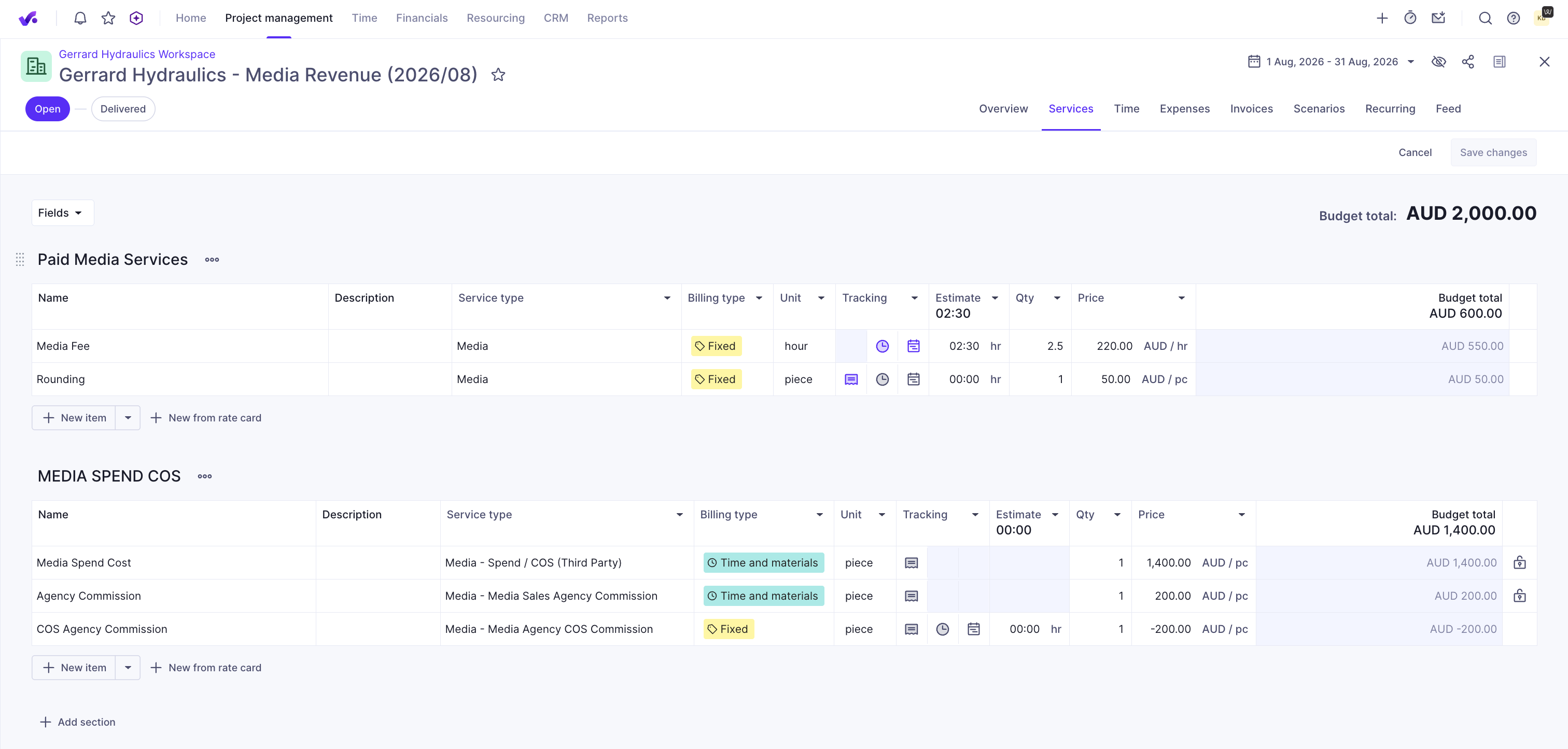
Media retainers are created for the FY/contract length based on signed contract. Each month they are refined to match actual media spend (1st or 2nd of the following month in preparation for invoicing) and in the days leading up to end of month if the client advises future media spend fluctuations. Budget owners or Jyn are responsible for the following steps:
- Amend the media spend lines within the budget
- Have the updated budget reviewed by a line manager
- Have the budget approved so finance can cross-reference in Sage and send the final invoice
Commenting Rules
When adding comments in the Revenue Tracker, always tag the right person to ensure queries are picked up promptly:
- Invoice queries: tag @Maria Murua
- Revenue queries: tag @Dionne (Finance)
Set a monthly deadline reminder in your calendar to stay on top of revenue and invoicing updates.
Key Contacts
| Role | Name | Owns |
|---|---|---|
| Group Finance Director | Guy Lancaster | |
| Accountant | Maria Murua | Invoice generation, invoicing queries |
| Finance Manager | Dionne | Revenue confirmation, revenue queries |
| Finance Support | Jyn | Updates Productive revenue figures, weekly reconciliation |